Question
Why can’t I see a linked CAD file which is ‘nested’ inside a Linked Revit Project?
Answer
It is switched off by default
To switch it on.
Use the Visibility Graphics Command (shortcut – VG)
Choose Revit Links Tab
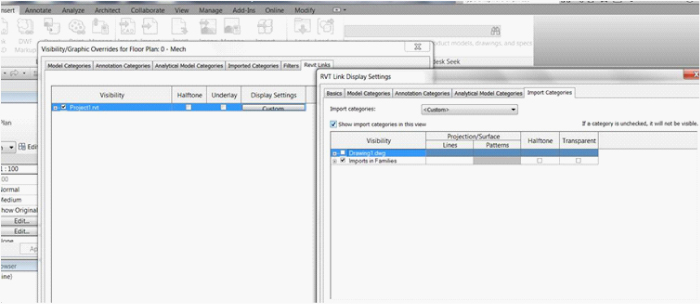
Under the display settings choose custom option.
Choose the Import categories option and choose custom. Tick the desired Cad file(s) you wish to see.